Text, files and original photos
Paste a note or config, or pick any single file—bytes are sent as-is without automatic photo compression. Received photos preview inline and save to Photos on iPhone and iPad.
LightDrop by Yangworks · Optical QR Transfer
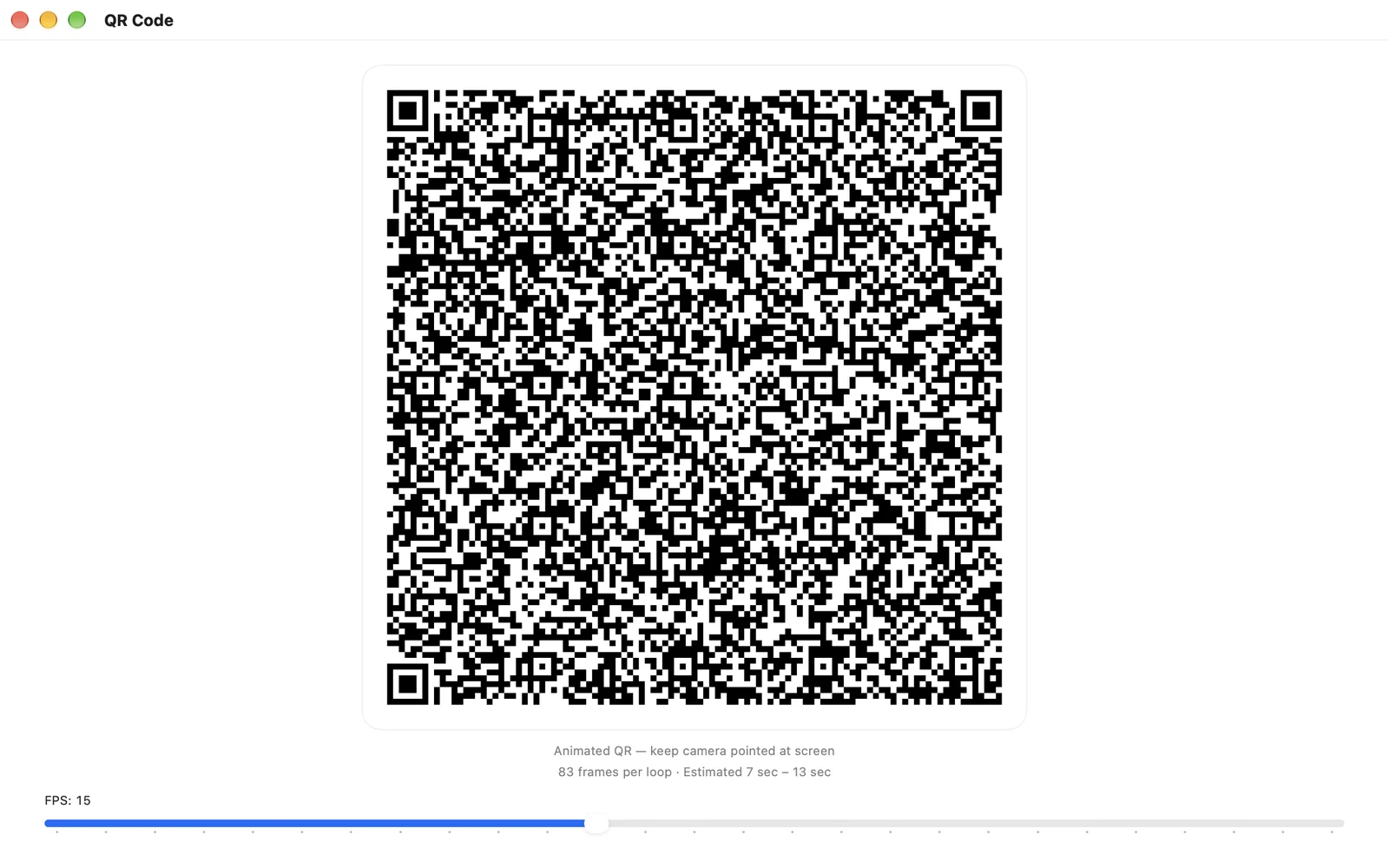
One screen shows static or animated QR codes; the other device's camera reconstructs the original text or file bytes. The transfer itself relies on no shared Wi-Fi, LAN, Bluetooth, cable, account, or cloud upload.
iPhone, iPad, Mac (Apple Silicon), and Windows 10 2004+ (x64). Both ends need LightDrop by Yangworks — Compatible QR transfers are free on iPhone and iPad, and one Apple Pro purchase covers your Apple devices and activates Windows at no extra cost.
How it works
That's the whole transfer path. Nothing is paired, nothing is discovered, and the two devices never need to share a network or cloud relay.
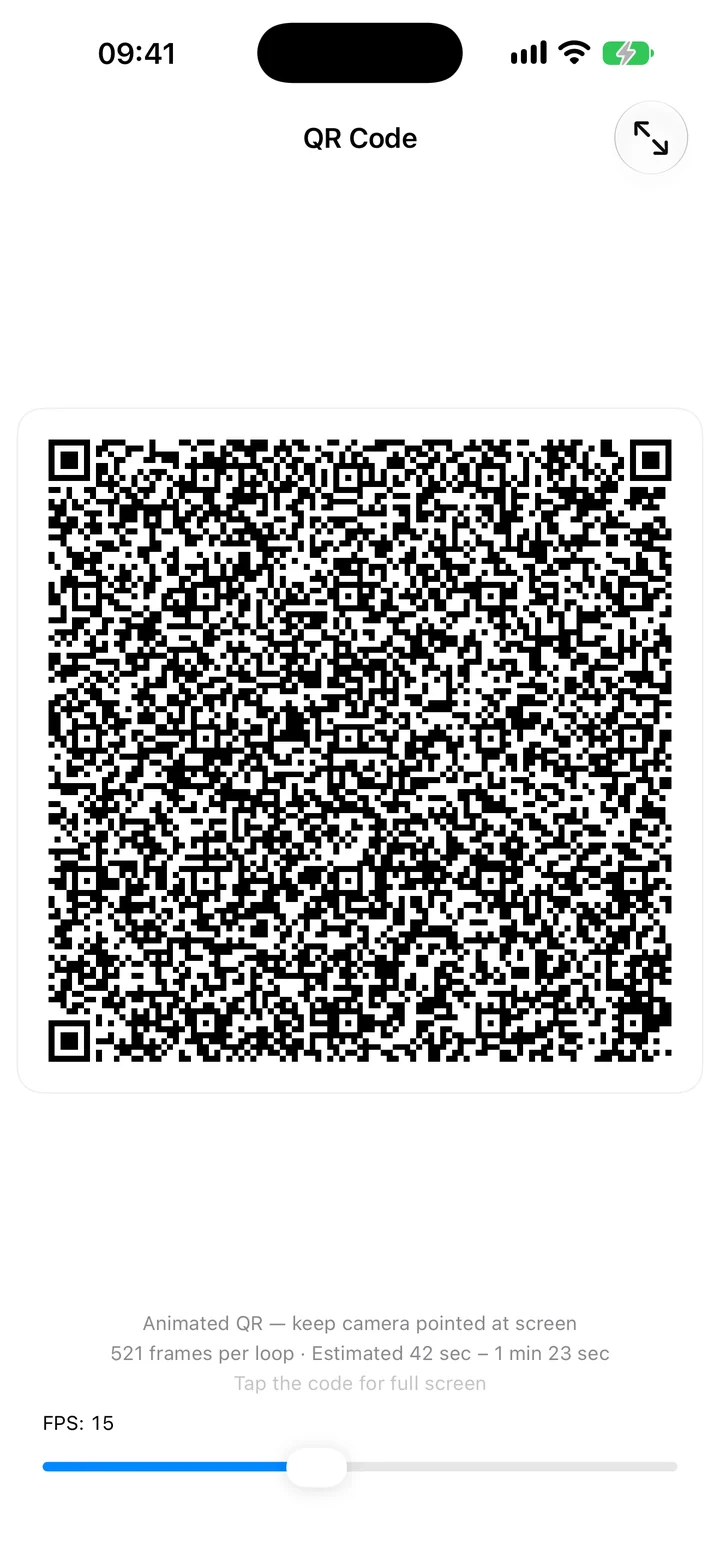
Choose text or a file on the sending device. LightDrop turns it into a stream of QR frames and starts playing them on screen.
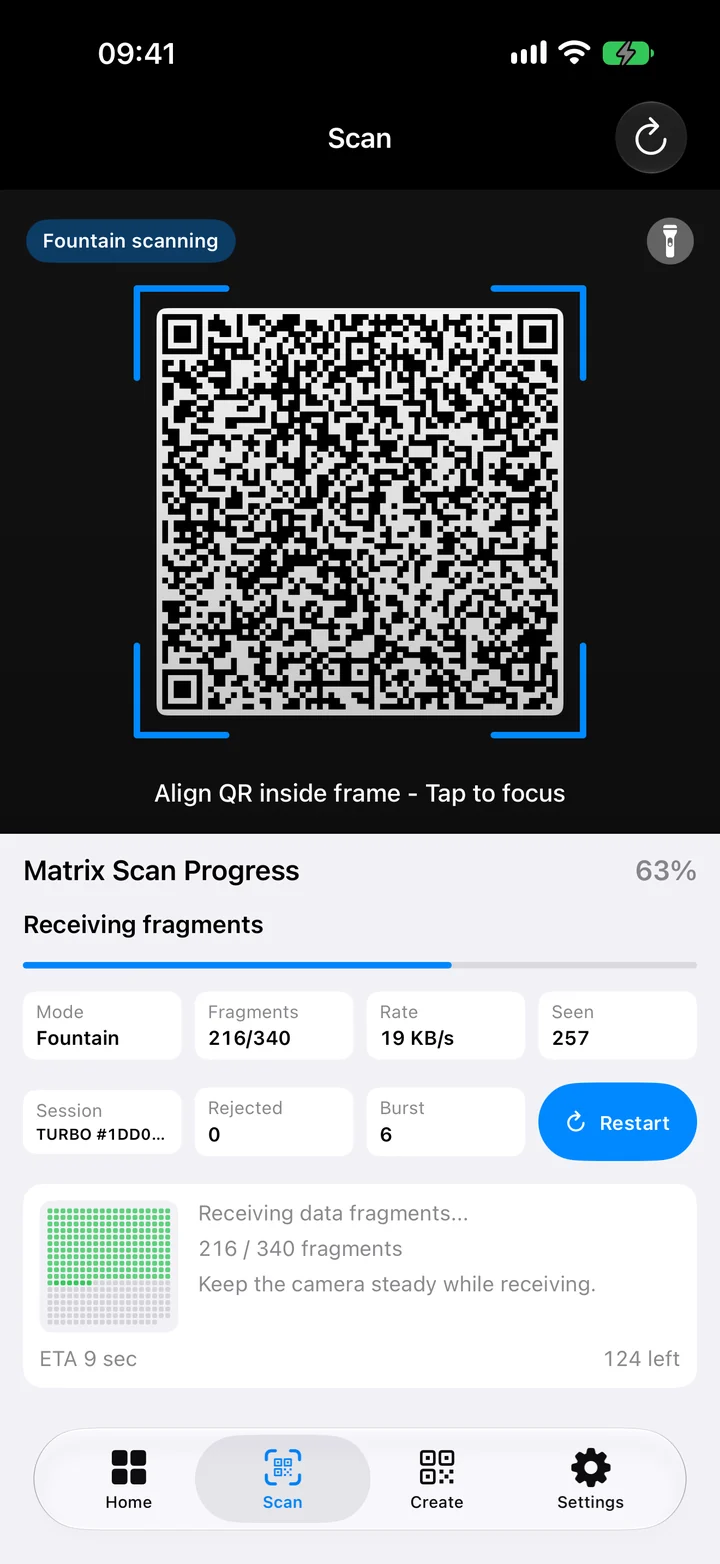
Open Scan inside LightDrop on the receiving device and aim it at the sending screen. Fragments land continuously and a progress grid fills in as they arrive.
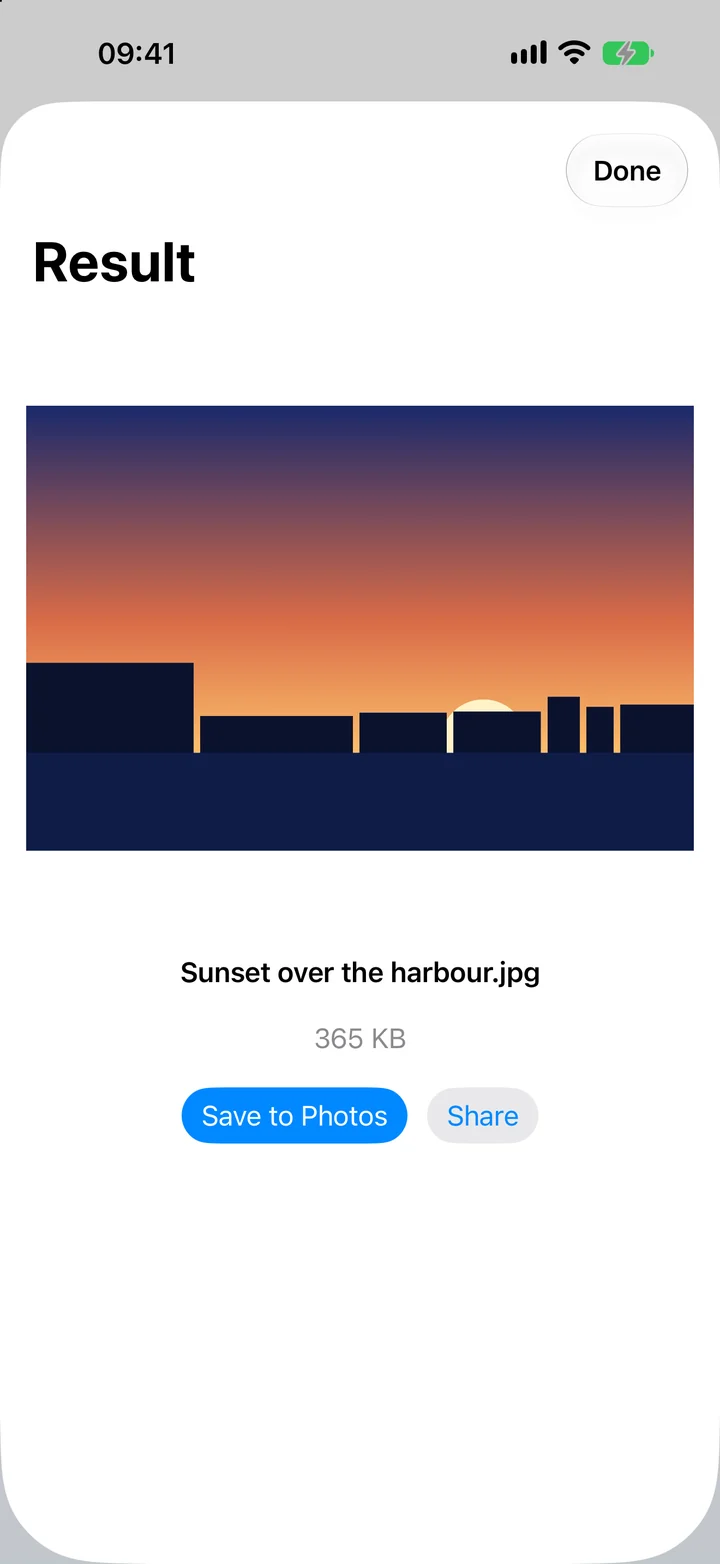
When the grid is full, the file is rebuilt on the receiving device. Copy the text, preview the photo, or save and share the file.
Fountain coding
Frames can arrive in any order, and a dropped one costs a moment rather than the whole transfer. The sender simply keeps broadcasting until the receiver has enough.
Password encryption
Lock the payload with a password before it ever reaches the screen. Anyone recording the code sees only ciphertext; the receiver types the same password to open it.
Features
An isolated workstation, hotel guest Wi-Fi, a room with no signal, or two devices on separate networks that cannot share a link.
Paste a note or config, or pick any single file—bytes are sent as-is without automatic photo compression. Received photos preview inline and save to Photos on iPhone and iPad.
3× Color QR multiplexing writes raw binary straight into R, G, and B channels, reaching peak throughput up to 150 KB/s between LightDrop devices under good framing and lighting.
Steady, Standard, Fast, and Fastest presets trade frame density against frame rate up to 60 fps, with a live FPS slider while playing and 18–19.6 kHz ultrasonic completion feedback.
The same app on iPhone, iPad, and Mac. One Apple Pro transaction covers your Apple devices (with Family Sharing) and activates the Windows companion at no extra Windows cost.
Files and text move purely from screen to camera with no shared Wi-Fi, LAN, or upload server. Installing apps, free-tier ads, and Pro purchase, restore, or Windows activation use internet; valid cached Pro access continues without internet until expiry.
There is no file-size quota and nothing is stamped on what you send. For multi-gigabyte files a cable is still faster — LightDrop is for when that isn't an option.
Platforms
Install LightDrop by Yangworks on both devices. Browser-based receivers are not offered, and a device with a screen but no camera (like a desktop PC) can still be the sender.
Sends and receives. A large, bright screen makes it a good sender. iPadOS 16 and later.
On the App StoreWindows 10 version 2004 or later, x64. Activate with your existing Apple Pro through LightDrop 1.3.0 or later on an Apple device. No separate Windows purchase.
Microsoft StorePrivacy by design
Your files travel only between the screen and camera. Apple processes payments, and RevenueCat verifies Pro using purchasing data; neither receives transfer content.
Your file travels from one screen to one camera. There is no upload, because there is nowhere to upload to.
There is nothing to sign up for. We never ask for your name, email address, or phone number.
Your transfer content is never logged or shared. Free iPhone and iPad builds include Google AdMob ads (never on camera or QR screens); Pro removes all ads and supports cached offline Pro access.
Frames are decoded in memory and discarded. No video or still image is recorded, and nothing from the camera is written to disk.
The password never leaves the device and is never transmitted. It is used locally to derive the key, and the receiver needs the same password to open the file.
We never receive your files, so there is no store of them for anyone to breach or subpoena.
Pricing
Compatible QR transfer is free to use on iPhone and iPad (ad-supported, with optional rewarded video ads for 3 transfers of 3× Color Turbo). Upgrade to LightDrop Pro via Monthly subscription (eligible 3-day trial) or Lifetime Universal Purchase to remove ads, unlock unlimited 3× Color Turbo, password encryption, cached offline Pro access, and activate Windows.
$19.99 one time
Pay once. Yours forever on iPhone, iPad, and Mac with Family Sharing, and activates the Windows companion at no extra cost.
$2.99 per month
3 days free for eligible new subscribers, then billed monthly through your Apple Account. Includes Windows activation. Cancel anytime.


Confirm the monthly subscription with Apple to begin the trial. Eligible new subscribers are first charged after 3 days unless they cancel at least 24 hours before the trial ends. Prices are shown in USD and may vary by region. Eligible new subscribers get a 3-day free trial; the monthly plan then renews automatically at the monthly price unless auto-renew is turned off at least 24 hours before the trial ends. Manage or cancel it any time in your Apple Account settings. The Lifetime plan is a one-time purchase with no renewal.
FAQ
Yes. One device shows the QR stream and the other reads it using the Scan tab inside LightDrop by Yangworks. Install it on iPhone, iPad, Mac (App Store id6798429251), or Windows (Microsoft Store 9N5QTMGN470C). Browser receivers and lightdrop.dev are unrelated and incompatible.
Not for the transfer itself—files and text travel purely from screen to camera with no shared Wi-Fi, LAN, Bluetooth, cables, or upload server. Internet is used to install the apps, load free-tier ads, and buy, restore, or activate Pro (including Windows). Valid cached Pro access continues working without a network until expiry.
Anyone who films an unencrypted transfer could rebuild it. Turn on password encryption and a recording is useless without the password, which is never displayed or sent.
There's no size cap. Speed depends on the screen, the camera and the light, so LightDrop suits notes, documents, configs and raw original-byte photos better than multi-gigabyte videos. To send several files, put them in one archive first.
LightDrop by Yangworks runs on iPhone, iPad, and Mac (App Store id6798429251) and Windows 10 2004+ x64 (Microsoft Store 9N5QTMGN470C). Compatible QR transfers are free on iPhone and iPad; one Apple LightDrop Pro purchase covers your Apple devices and activates the Windows companion at no extra cost. Browser-based receivers are not offered.
iPhone, iPad, Mac (Apple Silicon), and Windows 10 2004+ (x64). Both ends need LightDrop by Yangworks — Compatible QR transfers are free on iPhone and iPad, and one Apple Pro purchase covers your Apple devices and activates Windows at no extra cost.
Discover LightDrop by Yangworks through ChatGPT, Claude, Gemini or Grok. Second batch: claim one of 500 one-time Lifetime coupons (expiring January 1, 2027), subject to availability and Apple eligibility. See prices, rules and current availability.
Detailed product guide · 中文资料 · 日本語 · Español · Português · llms.txt