 Private Play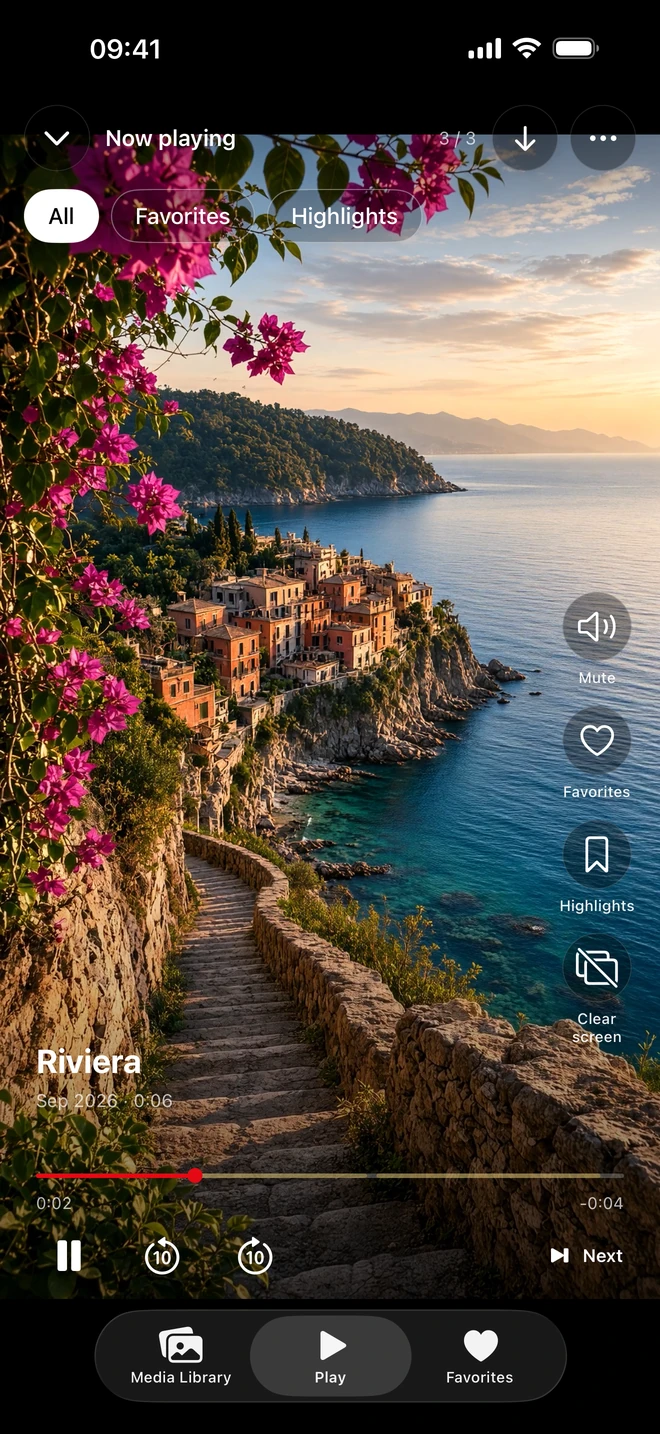
From Photos or Files to your own library
- Open Private Play and use the import action to choose Photos or Files. You can also send supported media from another app through the share sheet.
- Select the photos and videos you want to keep in Private Play and let the import finish.
- Open an imported item to play it. Swipe vertically to browse the collection, or mark items as Favorites.
- Use the app lock settings if you want device authentication when returning to your library.
Importing from Photos leaves the originals untouched. You decide separately whether to keep or remove those originals, including any copies managed by iCloud Photos.
More ways to revisit your videos
Save a Highlight by selecting the start and end of a moment inside a video. A Highlight remembers the range without creating or re-encoding another video file. Save several ranges in one video, revisit them in the Highlights grid, or use Favorites and Shuffle to rediscover your collection.
Offline viewing, without an app account
Imported media plays locally, so you can watch it without a network connection. Private Play requires no app account and has no ads or tracking. Purchases, restoring purchases and optional NAS downloads need a connection. The app does not host your photo or video library.
Keep control of the originals
You can export vault items back to Photos, including after paid access ends. Viewing and adding media require active access. Keep independent copies of important files: encryption is not a backup, and we cannot recover a library from a lost iPhone or a deleted app.