

A player you'll love
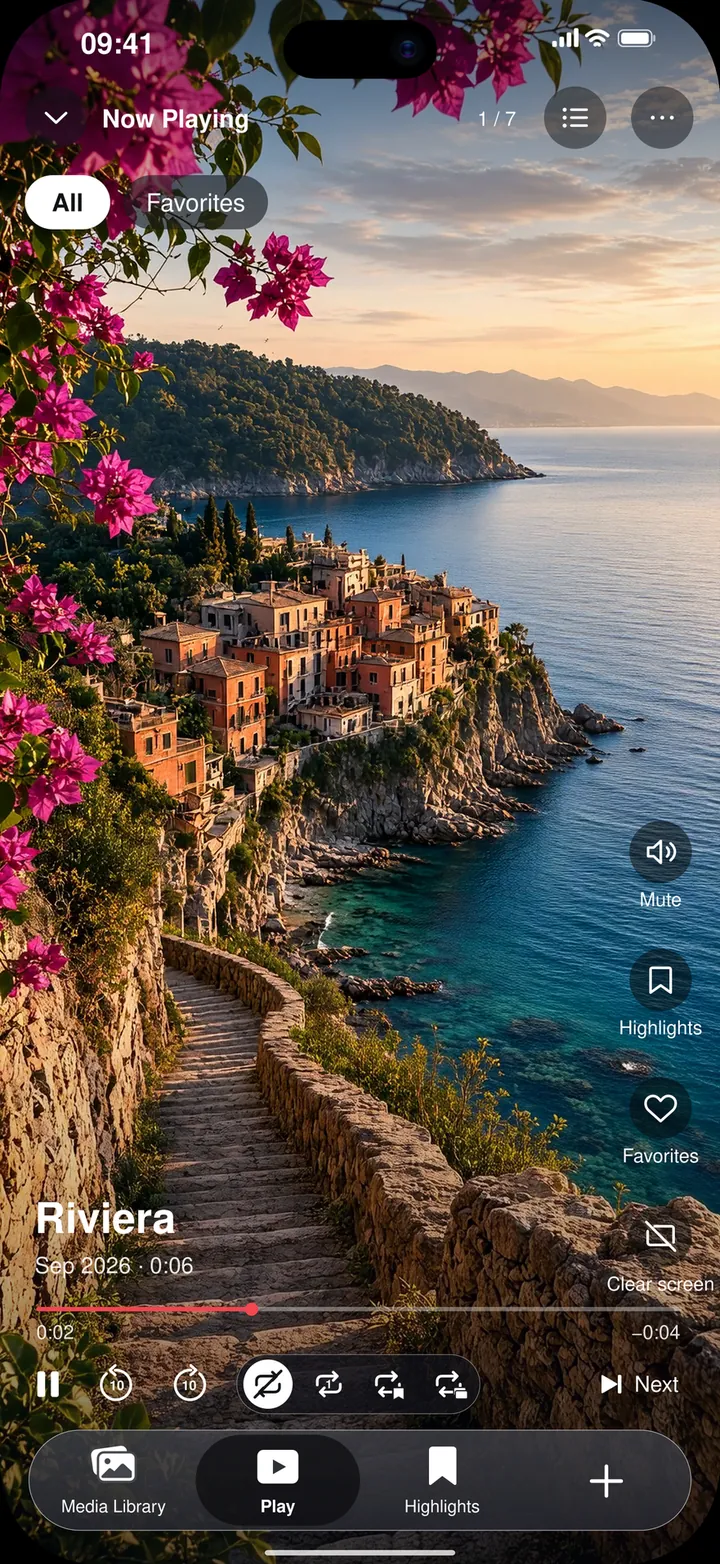
Watch photos and videos full screen. Swipe through your collection, mark Favorites, use Shuffle, and save favorite video moments as Highlights.
Your moments. In full view.
Your photos and videos, full screen. Swipe, shuffle and replay favorite moments in a private library on your iPhone.
Free $0 Monthly $5.99 Lifetime $39.99Built for iPhone. Requires iOS 17 or later.
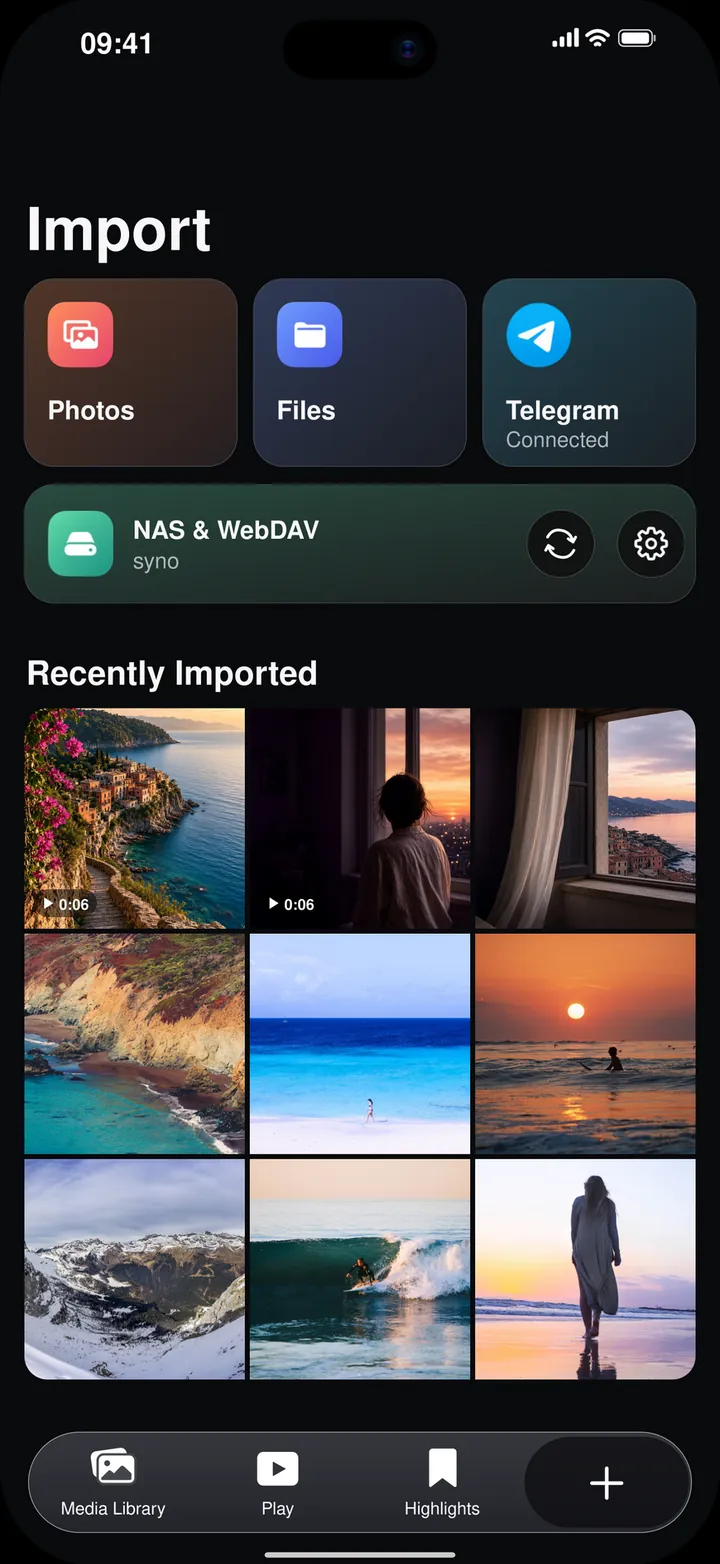
Import from Photos, Files, NAS, WebDAV and Telegram Saved Messages.
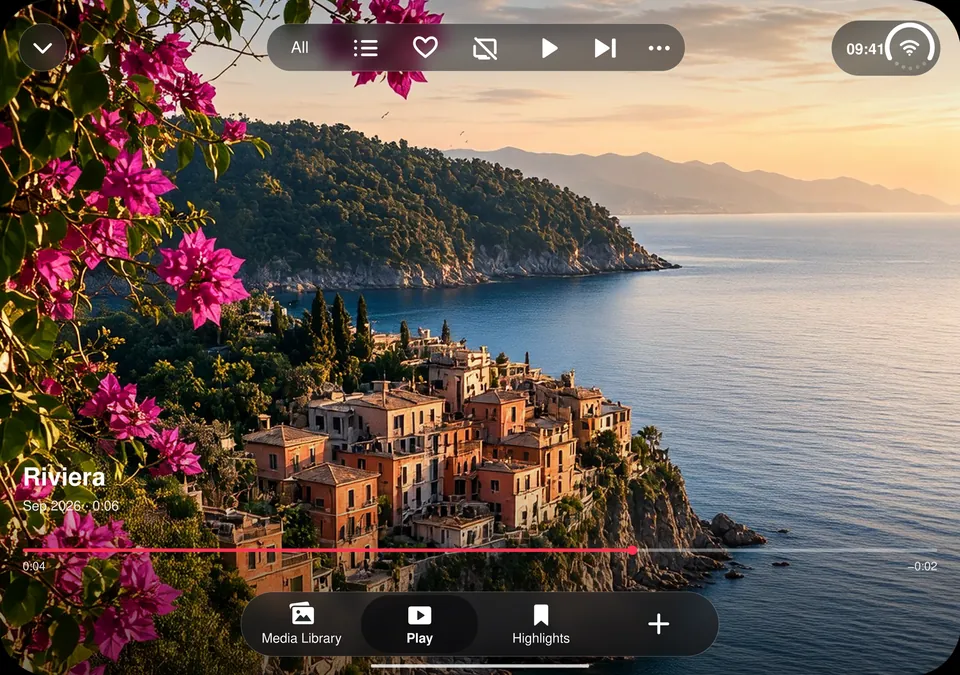
Your photos and videos, edge to edge. Swipe, shuffle and mark Favorites.
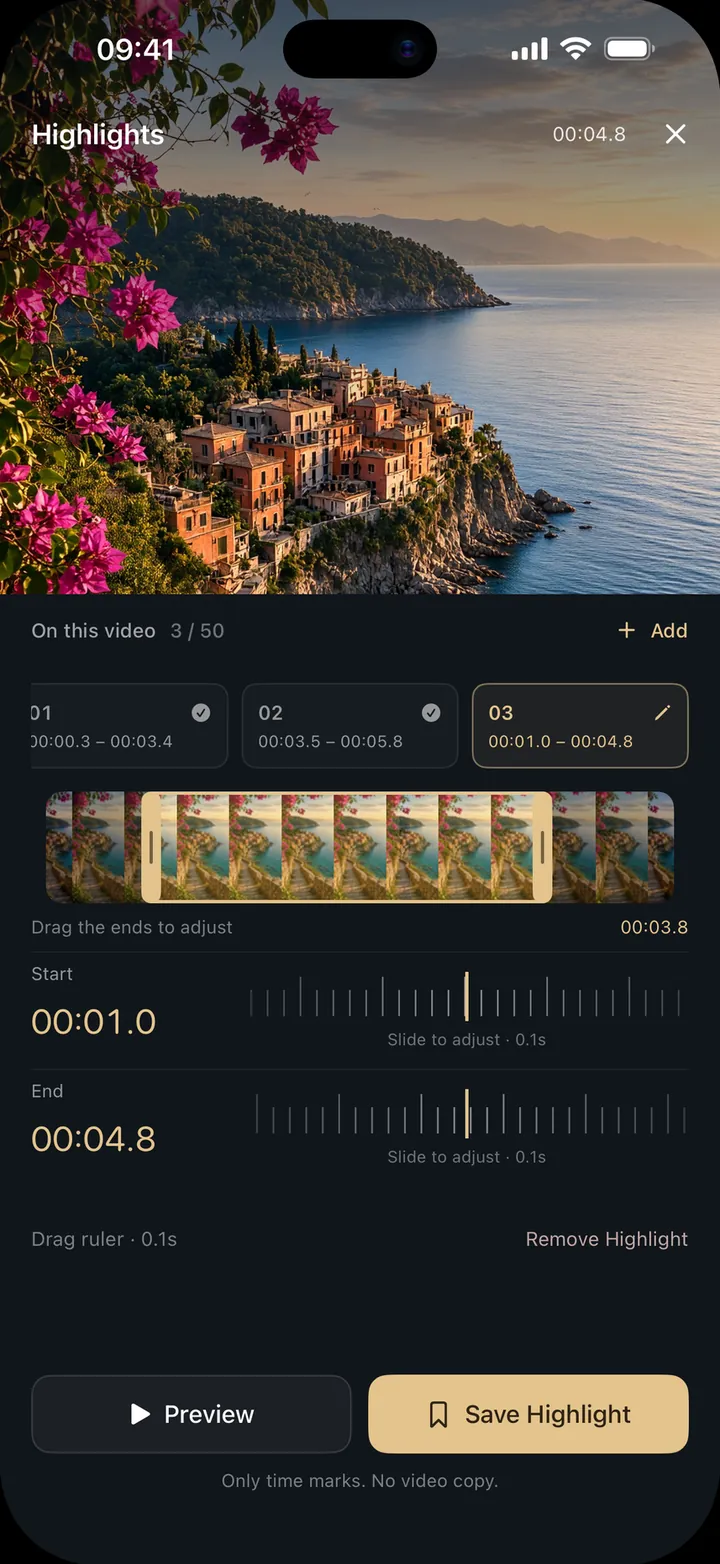
Choose where your Highlight begins and ends. Only time marks — no video copy.
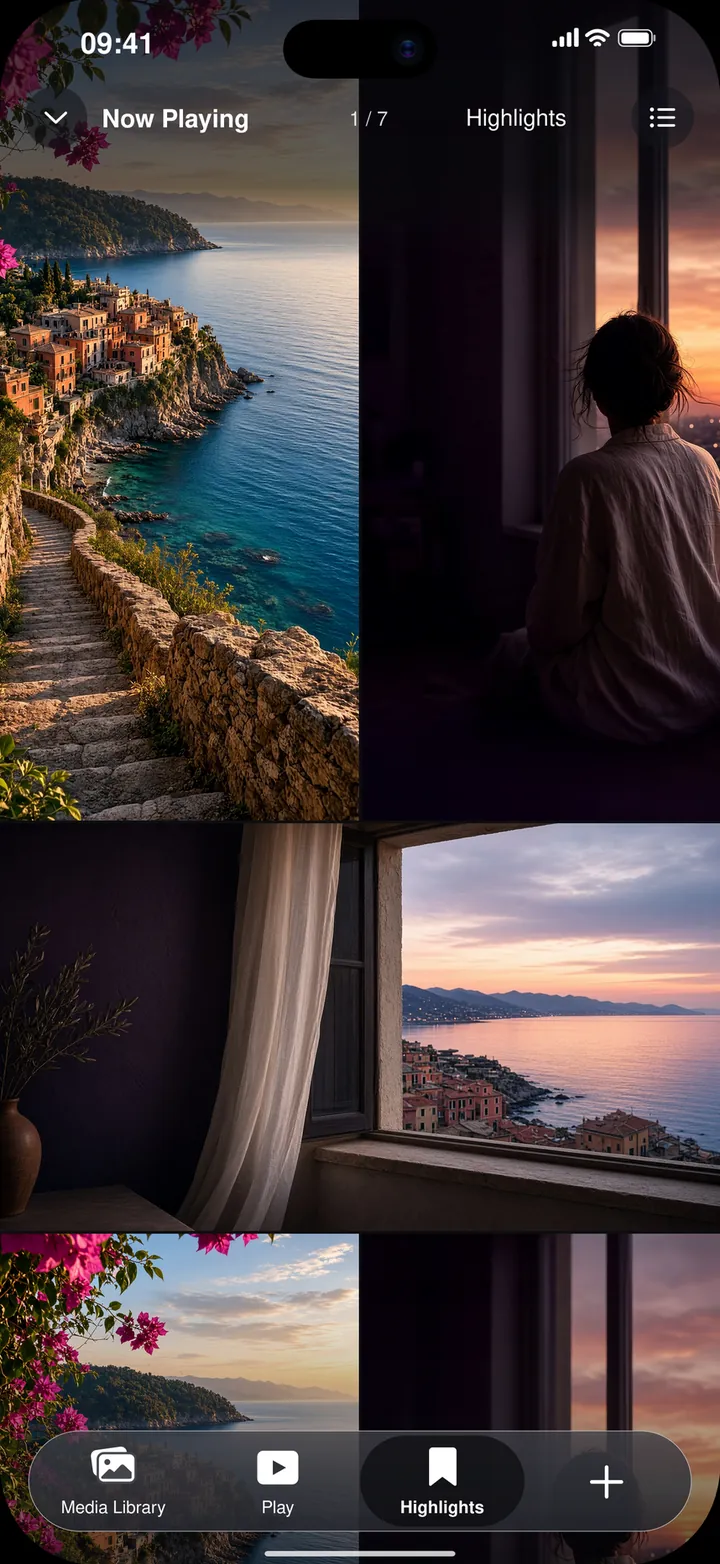
Watch saved moments playing together in Grid Mode.
Full-screen playback on iPhone Duo.
Highlights
Mark the few seconds you would watch again. Private Play remembers the range, without copying or re-encoding your video.
Highlights save time marks, without copying the video.
Open a video. Tap Highlights.
Drag the ends. Preview the range.
Save your Highlight. Play it again.
Seamless imports
Import copies into your encrypted library while keeping the originals untouched in Telegram, Photos or your own server.
Bring saved photos and videos into your private player. Keep the originals in Telegram.
Features
Watch photos and videos full screen. Swipe through your collection, mark Favorites, use Shuffle, and save favorite video moments as Highlights.
Import photos and videos into the encrypted vault. Photo imports leave the originals in Photos. Export vault items back to Photos whenever you need.
Import NAS media through DS file or an SMB location in Apple Files, or connect to WebDAV directly in Private Play. Download media for offline playback.
Search and filter your library, pinch to change the grid density, and let identical imports be skipped automatically.
Imported media plays offline without a Private Play account. Purchases, restoring purchases, NAS downloads, optional Telegram sign-in and imports, and ad requests in Free (With Ads) require an internet connection.
One Lifetime purchase covers everyone in your Family Sharing group.
Privacy by design
Private Play has no servers that receive your media.
Photos and videos are secured with on-device encryption. The keys never leave your iPhone.
Protect your library with Face ID, Touch ID, or Optic ID. Choose automatic locking in Settings.
Playback pauses and private content is covered as soon as Private Play moves to the background.
No Private Play registration. Optional Telegram import uses your own Telegram account.
In Free (With Ads), Google AdMob serves ads. The ad SDK does not receive the photos or videos in your vault. Where required, you can change your ad privacy choices in Settings.
NAS and WebDAV sync is download-only: the app fetches from the server you configure and never uploads your media anywhere.
Encryption is not a backup. Export important media before switching phones or deleting the app. We cannot recover content from a lost device or a deleted app. Read the full Privacy Policy →
Pricing
Both Pro plans unlock unlimited ad-free access and support Family Sharing.
$0 with ads
Start with 10 imports and earn 10 more per reward ad. Upgrade to ad-free Pro anytime.
$5.99 per month
Billed monthly through your Apple Account. Cancel anytime.
$39.99 one time
Pay once. Yours forever, with Family Sharing for everyone in your group.
Start free with Free (With Ads), or upgrade to Monthly or Lifetime for unlimited ad-free Pro access.
Your vault stays yours: existing items can always be exported back to Photos, even without an active plan.

New monthly subscriptions have no free trial. Private Play Monthly is an auto-renewable subscription. Payment is charged to your Apple Account at confirmation of purchase. It renews automatically unless auto-renew is turned off at least 24 hours before the end of the current period; your account is charged for renewal within 24 hours before the period ends. Manage or cancel in your Apple Account settings after purchase. The Lifetime option is a one-time purchase with no renewal.
FAQ
It keeps them in a separate locked library rather than hiding them inside Photos. Import a video and Private Play stores its own encrypted copy behind Face ID or Touch ID. The original stays in Photos until you delete it there yourself.
Both: it is a full-screen video player built on an encrypted library. Swipe vertically between your photos and videos, shuffle them, mark Favorites and save Highlights, instead of opening files one by one from a list.
Private Play is free to download and offers Free (With Ads) with no purchase required: it starts with 10 imports, each completed import reward ad adds 10 more, an inline ad can appear in the library, and a playback ad can appear after 10 video switches when ready. Adding a new NAS or WebDAV connection, the first NAS or Telegram import, and reconnecting Telegram also use a rewarded ad unlock. Monthly and Lifetime remove all ads and import limits.
Private Play is an encrypted iPhone video vault with a Free (With Ads) mode. Import and watch your own videos without paying and protect the library with Face ID or Touch ID, while vault media stays off-limits to ads. Upgrade to Monthly or Lifetime anytime for unlimited ad-free access.
In Free (With Ads), you can still watch videos already in your vault—playback does not use import quota. Complete an import reward ad to add 10 imports, or upgrade to Monthly or Lifetime for unlimited ad-free imports. An ad that fails to load or is closed before the reward adds no imports.
No. Your photos and videos stay encrypted on your iPhone and are never shared with Google AdMob or advertisers. Private Play has no server that receives your media. Ad requests handle standard ad delivery and measurement, and where required you can manage ad privacy choices in Settings.
Yes. Photos and videos already imported into your iPhone vault play offline without a Private Play account. An internet connection is needed when loading ads, earning extra import quota, unlocking remote sources, or downloading from NAS, WebDAV, or Telegram.
Yes, with Free (With Ads). Adding a new NAS or WebDAV connection, making your first NAS or Telegram import, and reconnecting Telegram each require completing a rewarded ad unlock, and imports use your available import quota. Monthly and Lifetime unlock unlimited ad-free imports from every source.
Yes. Lifetime is a single $39.99 purchase with no renewal, and it covers your Family Sharing group.
Imported media plays offline without a Private Play account. Purchases, restoring purchases, NAS downloads, optional Telegram sign-in and imports, and ad requests or rewarded unlocks in Free (With Ads) require an internet connection.
Yes. Private Play plays your imported photos and videos full screen, and a vertical swipe moves to the next one, in order or on Shuffle. The feed contains only what you imported.
Yes, after downloading them. Connect to WebDAV directly in Private Play, or reach a NAS through DS file or an SMB location in Apple Files, then download files or folders to watch offline. Private Play does not stream from the server.
Sign in to your own Telegram account inside Private Play, select photos and videos from Saved Messages, and import copies into the encrypted library. Originals stay in Telegram.
Sign-in uses Telegram’s official TDLib and connects directly to Telegram. Your phone number, verification codes and two-step verification details go to Telegram, not Yangworks. The session database is encrypted on your device, with its key in the device Keychain. You can revoke access in Telegram → Settings → Devices (or Privacy and Security → Active Sessions): select the Private Play session and terminate it. This stops future access through that session; copies already imported into Private Play remain on your device.
Private Play has no developer-operated app backend. It connects to Apple for subscription and Lifetime purchase verification. If you enable Telegram, NAS/WebDAV or media-link imports, it also connects directly to the services you choose. Opening a help or privacy-policy link visits the corresponding website. In Free (With Ads), Google AdMob serves ads. The ad SDK does not receive the photos or videos in your vault. Where required, you can change your ad privacy choices in Settings.
iPhone with iOS 17 or later, including iPhone Duo. iPad is not supported yet.
The Hidden album hides items inside Photos; Private Play is a separate encrypted library with its own player: full-screen swipe playback, Favorites, Shuffle and Highlights. You can use both; importing leaves the original in Photos unchanged.
No. Your media is stored and encrypted on your iPhone. There is no app account and we do not host your library. Optional NAS and WebDAV connections only download from a server you choose.
No. Photo imports leave the originals in Photos, so you decide what to keep. You can also export vault items back to Photos at any time.
A saved time range inside one of your videos. Private Play remembers where it starts and ends; it does not create or re-encode a separate video file. You can save several Highlights in the same video.
Existing vault items always remain exportable back to Photos without Pro. You can also switch to Free (With Ads) to keep watching and adding media, or renew Pro for unlimited ad-free access.
Encryption is not a backup. Export important media before switching phones or deleting the app. We cannot recover content from a lost device or a deleted app.
Practical guides for private viewing, NAS downloads and a feed of your own videos.
Import from Photos or Files, use an app lock, and watch your collection offline.
Compare hiding videos in Apple Photos with keeping an encrypted, biometric-locked playback library.
Save whole videos as Favorites or mark replayable time ranges as Highlights without exporting duplicates.
Download with DS file, SMB through Files or WebDAV before you leave your network.
Enjoy full-screen playback, Favorites, Shuffle and Highlights from your collection.
Step-by-step setup for biometric lock (Face ID & Touch ID), Photos, Files, NAS, WebDAV, Telegram imports and Free or Pro plans.
Built for iPhone. Requires iOS 17 or later.