 Private Play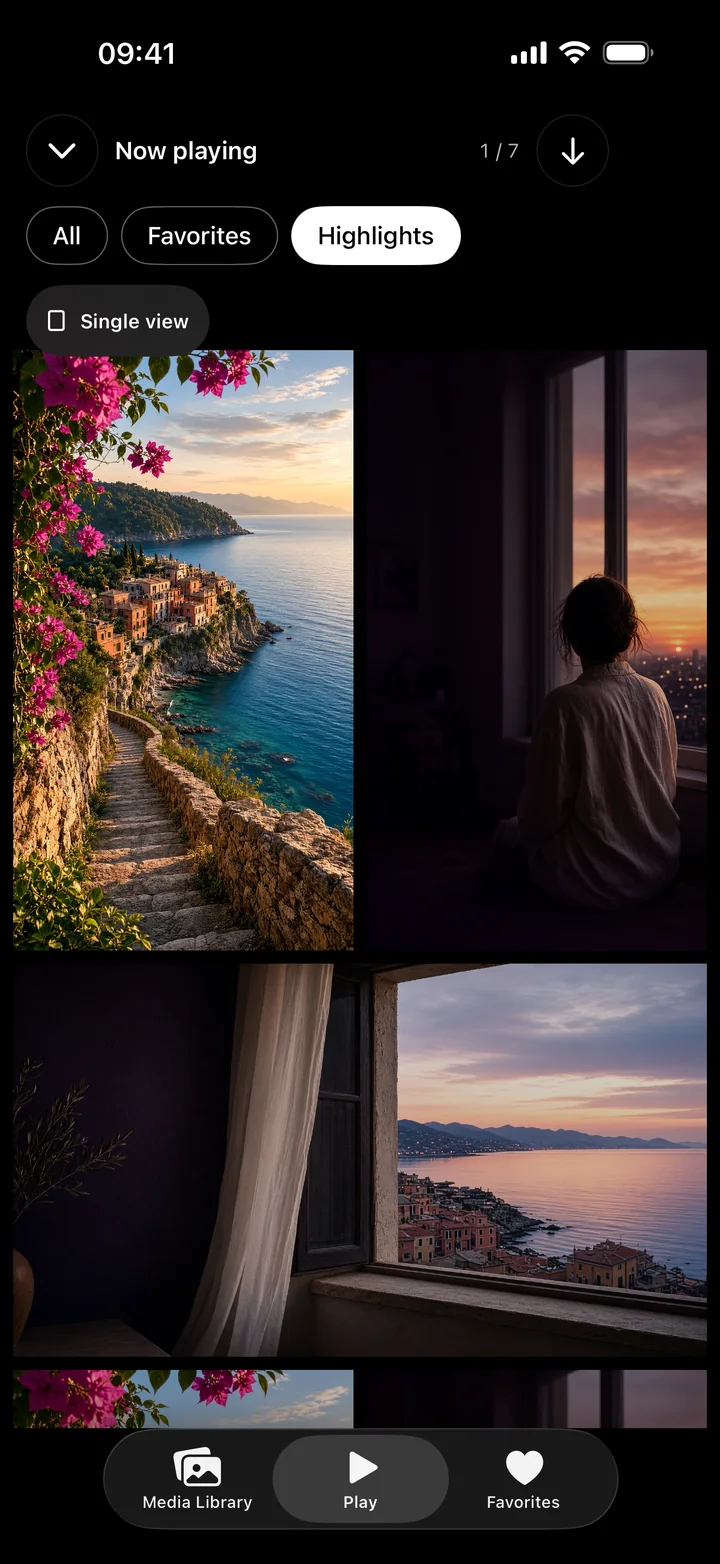
Make a feed from the videos you already have
- Import photos and videos from Photos, Files or the share sheet. You can also download selected media from your own NAS or WebDAV server.
- Open an item in the full-screen player. Swipe vertically to move to another item in the collection.
- Pause, seek or jump ten seconds when you want to look closer. Hide the controls for an unobstructed view.
- Mark Favorites for the items you want to return to, or choose Shuffle to rediscover your collection.
The feed comes from the media you choose to import. It works with your local collection and does not require uploading videos or creating an app account.
Save a moment as a Highlight
- Open a video and choose Highlights.
- Adjust the beginning and end of the range, then preview it.
- Save the Highlight and revisit it from the Highlights grid.
You can save multiple Highlights in a single video. Each one records a time range without copying or re-encoding the video, so the original library video must remain available.
Favorites, Shuffle and the Highlights grid
Favorites help you return to whole items. Highlights bring you to specific moments inside videos. The Highlights grid plays saved moments side by side in a loop; choose All, Favorites or Highlights and sequential or shuffle order. Switch to a single view when you want to focus on one item.
Keep your collection on your iPhone
Private Play uses an encrypted on-device library and supports an optional app lock with device authentication. Photos imports leave your originals unchanged. Existing vault items can be exported back to Photos even after paid access ends; viewing and adding media require active access.